Find all the logos and art work for All Together Now, templates for flyers, media consent forms, and a language guide when speaking about loneliness.
ATN Logos
Media consent
ATN flyers
Template for flyer
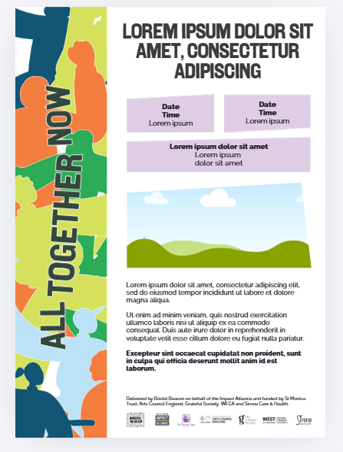
Editable template in Canva
We have created a customisable A5 flyer template in Canva for you to use for your own activities. To make use of this:
(1) Open the template
Click this link: Canva editable flyer template (opens in new tab). Return to this tab to read the rest of the instructions.
If prompted, sign in or create a free Canva account.
(2) Open your own copy of template
Please ensure you create your own editable copy so you won't change the original. To create a duplicate, either:
Click Use template (or Use this design if that appears).
Or, click the middle button at the top right of the design, which shows two squares with a + on them. This will duplicate the template and you will see your version appear directly underneath. Use the duplicate copy.
(3) Edit the text
Click on any text box.
Delete the existing text and type your own information.
(4) Change a photo
Click the photo you want to replace.
Select Replace or upload your own image and drag it into the frame by clicking the ‘Uploads’ button in the left hand bar.
(5) Save your changes
Canva saves automatically as you work, so you don't need to press Save.
(6) Download your flyer
Click Share in the top-right corner.
Select Download.
Choose:
PDF Print if you're printing the flyer.
PNG if you're sharing it online or by email.
Click Download and the file will save to your computer.
Template for social media
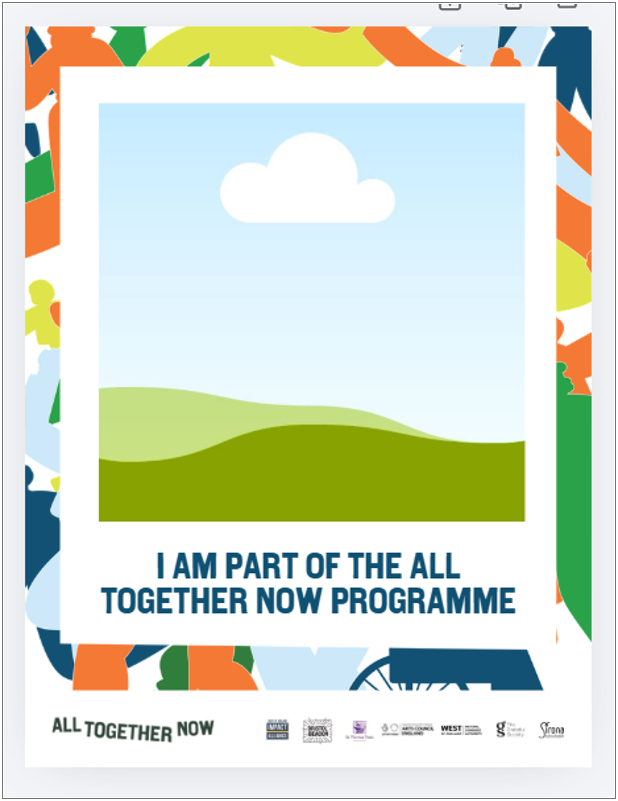
Editable graphic in Canva
We have created this customisable social media graphic for you to post on your own channels. (See template pictured to right). Please tag where possible the following in any posts celebrating your involvement in the All Together Now Programme:
@Bristol_Beacon
@impact.alliance
@stmonicatrust
(1) Open the template
Click this link: Canva editable social media graphic (opens in new tab). Return to this tab to read the rest of the instructions.
If prompted, sign in or create a free Canva account.
(2) Change the photo
Click the photo you want to replace.
Select Replace or upload your own image and drag it into the frame by clicking the ‘Uploads’ button in the left hand bar.
(3) Save your changes
Canva saves automatically as you work, so you don't need to press Save.
(4) Download your graphic
Click Share in the top-right corner.
Select Download.
Choose:
PDF Print if you're printing the flyer.
PNG if you're sharing it online or by email.
Click Download and the file will save to your computer.